
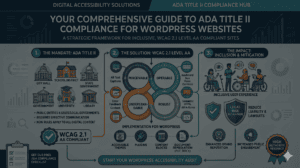
If you run a WordPress site in Utah, you’ve likely felt the accessibility pressure ramp up over the last twelve months. The University of Utah sent campus-wide memos. USU updated its EIT policy. K-12 districts started auditing vendor contracts. And anyone selling services to those institutions started getting accessibility clauses dropped into their MSAs.
Then, four days before the original federal deadline, the Department of Justice changed the timeline. Here’s what actually happened, what it means for your WordPress site, and the technical work that still has to get done — extension or no extension.
The Rule, the Deadline, and the Surprise Extension
In April 2024, the DOJ issued its long-awaited final rule under Title II of the Americans with Disabilities Act, applying specific technical standards to the websites and mobile apps of state and local governments — including public universities, K–12 districts, libraries, transit authorities, and special districts. The standard adopted was WCAG 2.1, Level AA.
The original compliance deadlines:
- April 24, 2026 for entities serving populations of 50,000 or more
- April 26, 2027 for smaller entities and special districts
Then, on April 20, 2026 — four days before that first deadline — the DOJ published an Interim Final Rule extending both dates by one year:
- April 26, 2027 for large entities (50,000+)
- April 26, 2028 for smaller entities and special districts
The substantive requirements did not change. The DOJ cited staffing constraints, budget realities, the complexity of remediating large content sets, and the limits of generative AI for automated remediation. Importantly, the agency explicitly stated it “fully anticipates implementing the regulation at the new deadline.” Existing ADA obligations also continue to apply right now.
There’s one more wrinkle: the HHS Section 504 rule from May 2024 imposes parallel accessibility requirements on recipients of federal HHS funding, with a May 11, 2026 first compliance date that HHS has not extended. If your organization touches HHS dollars — hospitals, clinics, certain research arms — that deadline already passed.
Why Utah Is at the Epicenter
Utah’s regulatory exposure runs deeper than most states because of its institutional density and the way public-sector compliance ripples outward into the private market.
- The University of Utah publicly committed to WCAG 2.1 AA for all academic web content, online course materials, and institutional digital content. The U’s Center for Teaching Excellence has been running weekly virtual office hours to walk instructors through Canvas accessibility, and the brand team has published color, contrast, and document standards under its Digital Accessibility program.
- Utah State University operates under USU Policy 5208, which formally adopts WCAG AA and is overseen by the EIT Accessibility Steering Committee.
- Utah Valley University, Weber State, and SUU all maintain their own accessibility offices with overlapping standards.
- State agencies and municipalities along the Wasatch Front have been quietly updating procurement language, requiring VPATs (Voluntary Product Accessibility Templates) and Accessibility Conformance Reports from every vendor touching public-facing technology.
The downstream effect: every Utah agency, design firm, plugin developer, and content vendor selling into higher ed or government now has to demonstrate accessibility — not just claim it. That is what’s driving the surge in Utah-based searches for WCAG-compliant themes, accessibility checkers, and screen-reader-friendly layouts.
What “WCAG 2.1 AA” Actually Means for a WordPress Site
WordPress powers roughly 40% of the web, and most public-sector and small-business sites in Utah run on it. But WordPress itself doesn’t guarantee compliance. The platform’s core admin and bundled themes target WCAG 2.2 AA, but the moment you install a third-party theme, page builder, or custom block, you own the accessibility outcome.
WCAG 2.1 AA breaks down into four principles — Perceivable, Operable, Understandable, Robust — and roughly 50 success criteria. The ones that bite WordPress site owners most often:
- Color contrast (1.4.3): brand palettes that look gorgeous in Figma but fail the 4.5:1 text ratio.
- Keyboard accessibility (2.1.1): mega menus, custom modals, and slider blocks that work only with a mouse.
- Focus visible (2.4.7): themes that hide the default focus outline for aesthetic reasons.
- Name, role, value (4.1.2): custom blocks without proper ARIA roles, leaving screen readers narrating gibberish.
- Alt text (1.1.1): the perennial offender. Editors paste images straight from a phone with no alt attribute.
- Form labels (3.3.2): Contact Form 7 and Gravity Forms can be made accessible, but only if you actually label every field.
A Practical WordPress Compliance Stack
Here’s the toolchain we recommend when bringing a Utah WordPress site into Title II / WCAG 2.1 AA alignment.
1. Start with an accessibility-ready theme
Look for themes tagged “accessibility-ready” in the official WordPress.org repository — that tag means the theme passed a baseline keyboard, contrast, and screen-reader review. Notable options include Twenty Twenty-Four, Twenty Twenty-Five, Astra, GeneratePress, and Kadence. If your current theme isn’t on this list, that’s a strong signal to budget for a rebuild rather than an indefinite remediation cycle.
2. Treat the block editor as an accessibility asset
The Gutenberg block editor, when used with native blocks, produces dramatically more accessible markup than legacy page builders that lean on nested divs and absolute positioning. If you’re still on Visual Composer, WPBakery, or older Divi versions, the migration to native blocks (or to a builder with strong semantic output like GenerateBlocks or Kadence Blocks) often resolves dozens of WCAG failures in one pass.
3. Audit continuously with a real checker — not an overlay
There is a sharp distinction between two categories of “accessibility plugin”:
- Genuine auditing tools that scan your content and flag issues for human remediation. Accessibility Checker by Equalize Digital is the leading option here, with per-post scanning baked into the editor. WP Accessibility by Joe Dolson (a W3C contributor) patches common theme issues like missing skip links and adds useful admin tools.
- Overlay widgets that inject a floating accessibility menu and claim automated compliance. These have been the target of an increasing number of lawsuits because they don’t actually fix underlying code issues — and in some cases interfere with users’ own assistive technology. Avoid them if legal compliance is the goal.
For deeper audits, supplement with browser tooling: axe DevTools, WAVE, and Lighthouse. These catch roughly 30–40% of WCAG issues automatically. The rest requires manual testing.
4. Test with a keyboard and a screen reader
This is the step most WordPress shops skip. Unplug your mouse and try to navigate every page, submit every form, and open every modal using only Tab, Shift+Tab, Enter, Space, and the arrow keys. Then run through the same flow with NVDA on Windows or VoiceOver on macOS. If you can’t complete a primary user task, neither can a significant portion of your audience.
5. Don’t forget the PDFs
A staggering volume of Title II violations involves PDFs uploaded to the Media Library — board minutes, course syllabi, application forms — without tags, reading order, or alt text. WCAG applies to those documents too. Either remediate them with Acrobat Pro or rebuild the content as accessible HTML pages.
What the Extension Does and Doesn’t Buy You
The extra year is real, but it isn’t a pause. Three things to keep in mind:
- Existing ADA obligations still apply. Private plaintiffs and the DOJ can still bring complaints under the underlying statute today, independent of the rule’s compliance date.
- The HHS deadline already hit. If federal health dollars touch your site, May 11, 2026 was the date.
- Procurement clauses do not extend. Vendor contracts already signed with Utah agencies and universities have their own accessibility milestones, often tied to the original 2026 date.
Use the additional twelve months to complete a structured audit, prioritize templates and high-traffic pages, build accessibility into your editorial workflow, and review every third-party plugin and embed for its own VPAT. That is exactly the work the DOJ said it expects to see.
Where dot832 Comes In
We’ve spent 25+ years building, securing, and maintaining WordPress sites — and the last two of those have been dominated by accessibility remediation work for Utah businesses, schools, and nonprofits navigating exactly this regulatory shift. If you need a baseline WCAG 2.1 AA audit, a theme migration plan, or ongoing accessibility monitoring built into your maintenance retainer, that’s the work we do every week.
The new deadline arrives faster than it sounds. Start now, and the April 2027 date will be a milestone you walk past — not a wall you hit.
